 Link
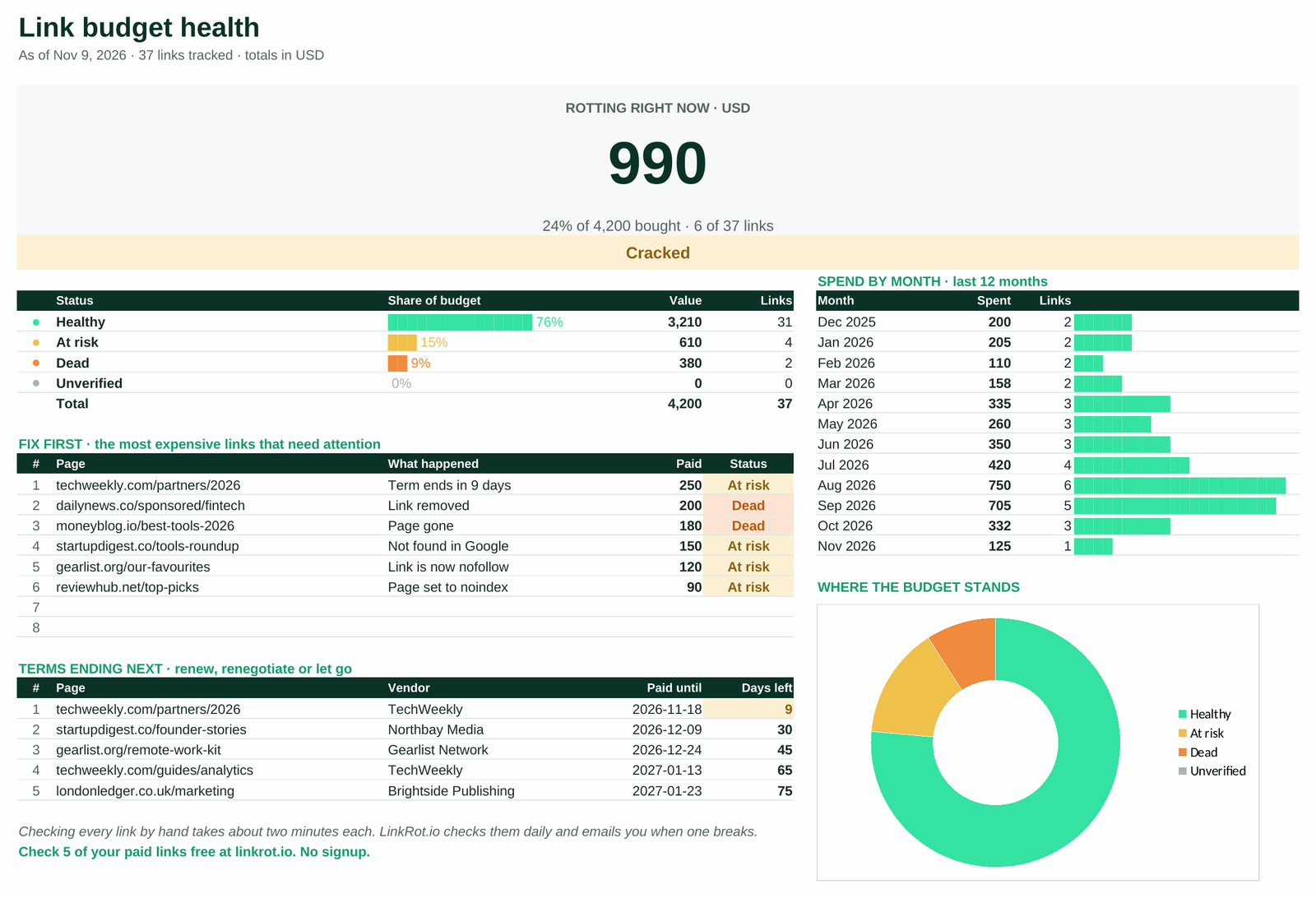
What the template tracks
What you bought
Page URL, your target URL, vendor, price paid and the date. One row per link.
Three monthly checks
Does the page load, is your link still in it, and is it still dofollow. Pick the answer from a dropdown.
What it costs you
Status per link and one number at the top: the money sitting in dead and at-risk links.
The four statuses
Healthy
Page live, link there, dofollow, checked in the last 30 days.
At risk
The link is there but it now carries nofollow, sponsored or ugc.
Dead
The page is gone or your link was removed from it.
Unverified
Never checked, or the last check is older than 30 days.
How to use it
- Make your copy. The mail has the Google Sheets and the Excel version. Delete the 8 sample rows.
- Add one row per link you bought: the page, the page on your site it points to, the vendor, the price and the date.
- Once a month, open each page and fill in the three checks and the date of the check. The status and the money at risk update on their own.
- Start with the dead and at-risk rows. Write to the vendor while the purchase is still recent. The steps and three email templates are in how to find lost backlinks and get them back.
Free template vs the full template
| Free | Full template | |
|---|---|---|
| Links | 25 | 1,000 |
| Currencies | 1 | Any, converted to your base currency |
| Checks per link | 3 | 5, plus DR drop and paid-term end |
| Dashboard with fix-first list | Summary row | Yes |
| Vendors tab with rot rate | No | Yes |
| Markets tab with budgets | No | Yes |
| Backlink email templates | No | 8 |
Get the full Backlink Tracker Template
Questions about the template
How do I track backlinks in Google Sheets?
Add one row per link with the page URL, your target URL, the price and the date. Once a month open each page and record three checks: the page loads, your link is still in it, and it is still dofollow. The template turns those checks into a status and adds up the money at risk.
How often should I check links I paid for?
At least once a month. The template marks a link Unverified when the last check is older than 30 days. Payment protection can be shorter than the term you paid for (PayPal's lasts 180 days), so a late check can mean no refund.
Does it work as a guest post tracker?
Yes. A guest post is one row: the article URL, the page it links to, the publisher as vendor and what you paid.
Does it check the links for me?
No. A spreadsheet cannot open pages on a schedule without scripts and quotas. If you want the checks done for you, LinkRot.io runs them daily and emails you when a link breaks.
Is it a backlink checker like Ahrefs?
No. A backlink checker finds links you did not know about. This template tracks the links you already bought and what happened to them.
Is the backlink tracker template free?
Yes. The free version tracks 25 links in one currency. We ask for an email address to send it to and send one mail, no newsletter. A paid full template (1,000 links, any currency, vendor and market tabs, paid-term reminders and 8 email templates) is sold on Gumroad for $19.